Case Study / Native iOS and Android Product

The shared work should not wait for a desk.

Hatchery built focused native apps for iPhone, iPad, and Android so people can review priorities, update work, open documents, and respond from the device already in their hand without creating a second version of RedRover.

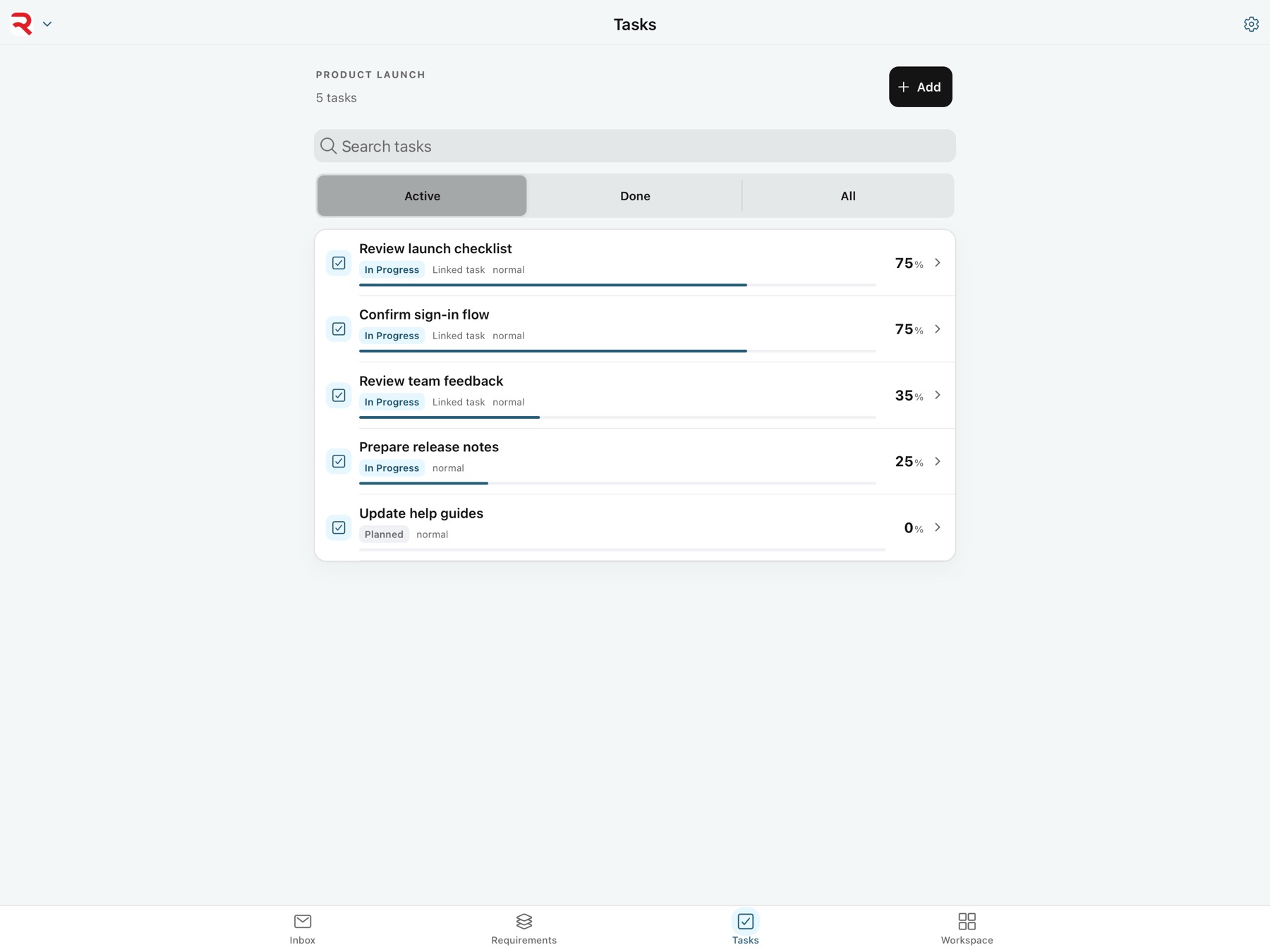
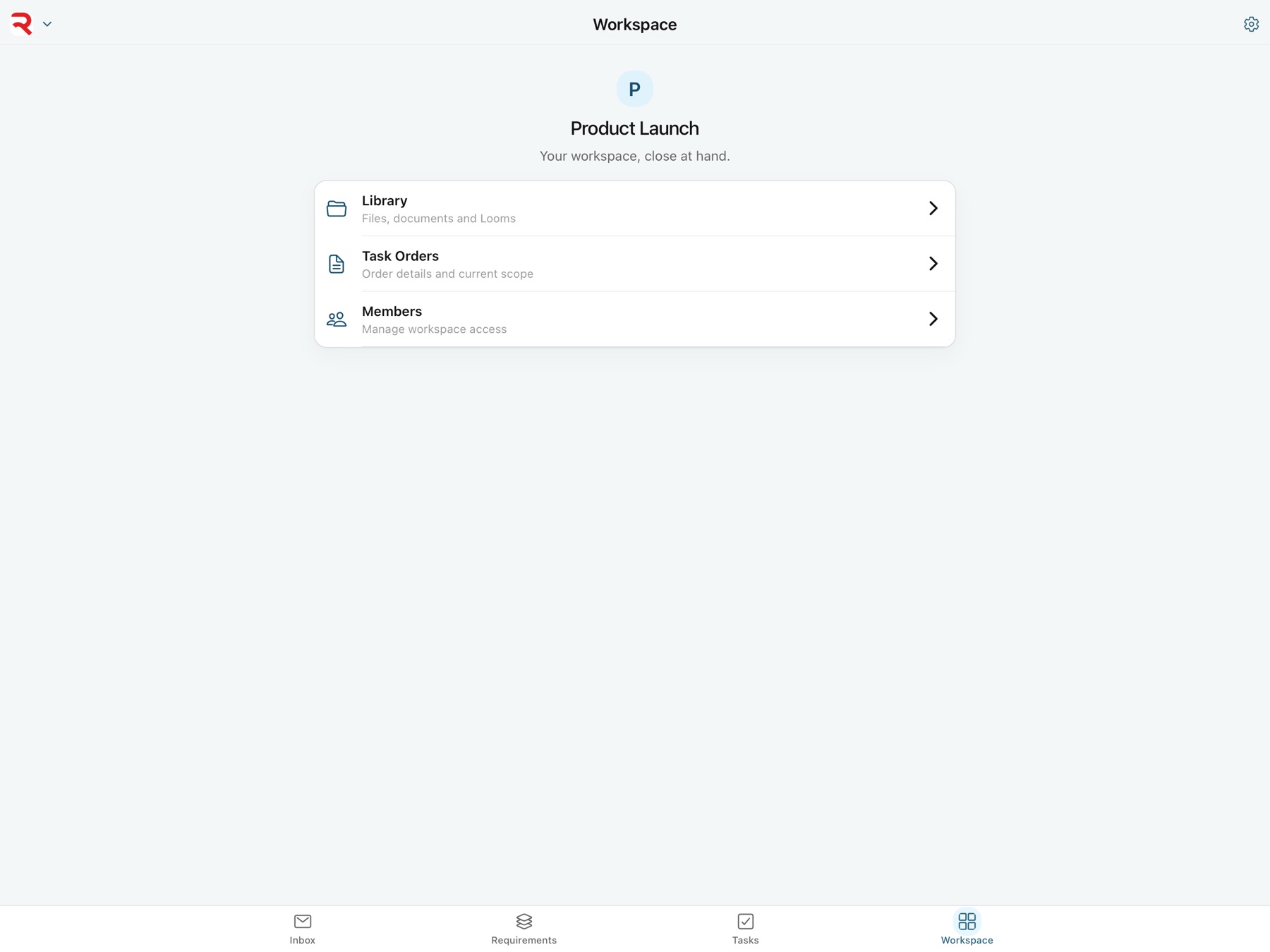
RedRover native mobile task experience on iPad with focused navigation for Inbox, Requirements, Tasks, and Workspace.
iOS + Android One focused mobile product The same experience is built for iPhone, iPad, and Android rather than delivered as a compressed desktop page.
Live No copied work Requirements, tasks, documents, progress, and permissions come from the same RedRover services.
Secure Native session storage Installed apps protect the signed-in session with the operating system's Keychain or Keystore.
Focused Built for movement Inbox, Requirements, Tasks, and Workspace keep the most useful actions close without copying the entire desktop product.
At a glance

RedRover Mobile

A fast native product for the moments when opening a laptop is the wrong amount of work.

Hatchery designed a focused mobile experience around the RedRover actions people need away from a desk.
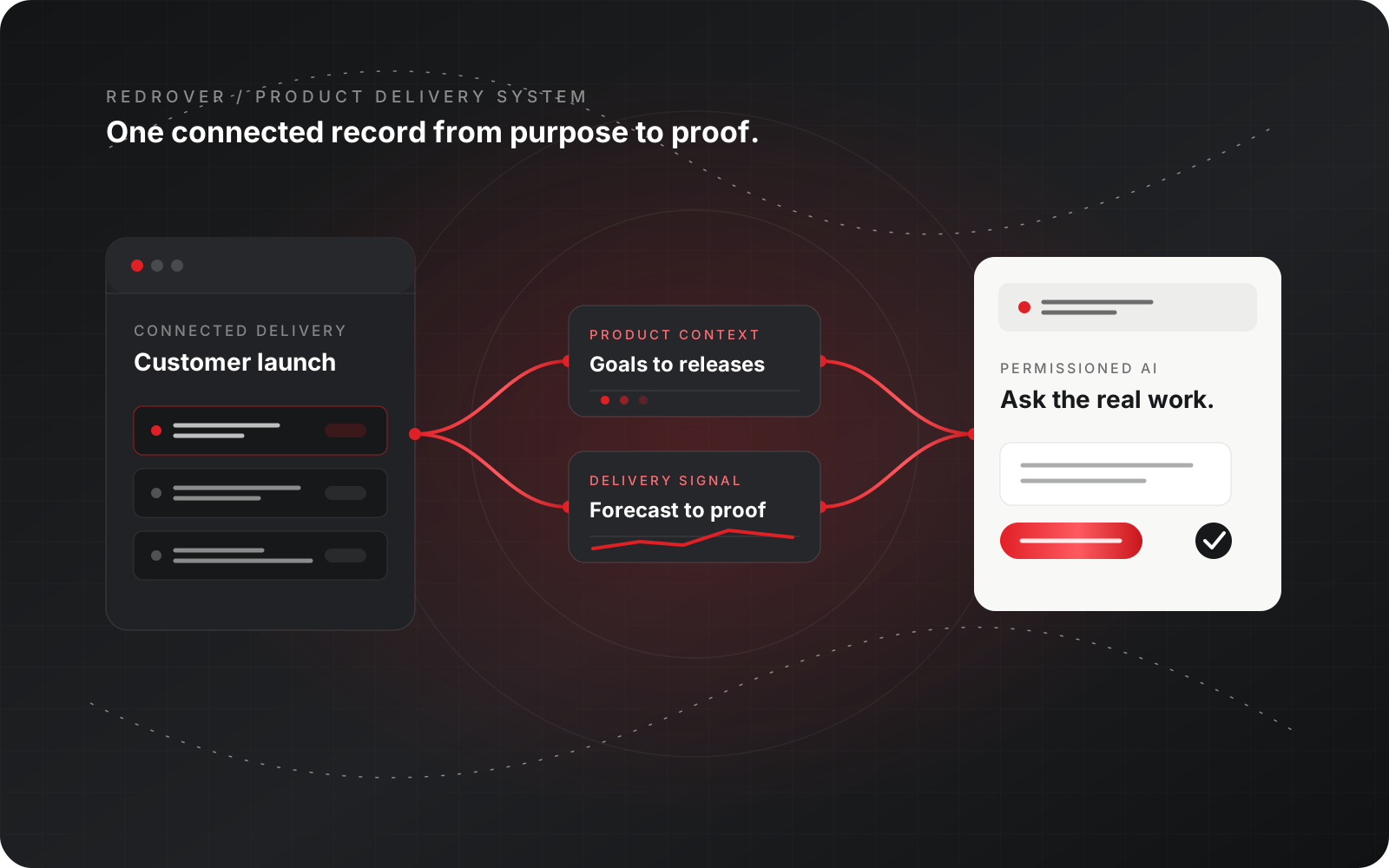
The app connects to the same production services, records, permissions, and revision controls as RedRover on the web.
Users can review Inbox items, requirements, tasks, documents, Loom recordings, Task Orders, and permitted workspace details.
Android is available now. The signed iPhone and iPad build has been submitted to Apple and remains in review.
Problem

A responsive website is not automatically a good mobile product.

RedRover carries substantial business and product context. Shrinking every desktop control onto a phone would make frequent actions slower, harder to scan, and less useful in the moments when people need mobile access most.

Risk

Convenience cannot create a weaker copy of the system.

A mobile app still has to respect account boundaries, workspace permissions, revision checks, secure sessions, current records, and release discipline. Speed is only valuable when the result remains trustworthy.

Hatchery role

Design around the mobile moment, then connect it to the real product.

Hatchery selected the highest-value workflows, shaped them for touch and small screens, and connected the native shell directly to RedRover's existing Java services. The interface is intentionally smaller; the authority behind it is not.


Comparison

Compressed web access vs. a focused native product

Need Compressed desktop experience RedRover Mobile
Daily focus Dense navigation and wide screens compete for limited space. Inbox, Requirements, Tasks, and Workspace form a clear four-part mobile model.
Data Offline copies or separate mobile records can drift from the system of record. The app reads and updates the same live RedRover records through production services.
Security A generic browser session may not use the device's protected credential storage. Installed sessions use iOS Keychain or Android Keystore and retain server-owned authorization.
Updates Changing progress or status can require opening a large desktop form. Focused detail views make permitted status, progress, assignment, and quick updates practical on the move.
Documents Files and supporting material remain back at the desktop. Workspace documents, Loom recordings, and current Task Orders remain close to the work.
Release quality A wrapped website can bypass platform-specific acceptance work. Hatchery tests native builds, accessibility, light and dark modes, signing, packaging, and store delivery as one release process.
What Hatchery built

Built as one product system.

Strategy, design, code, integrations, infrastructure, and operations move together so the product can launch and keep serving customers.

Purpose-built native applications

The installed iOS and Android apps carry a verified mobile interface and connect to RedRover over production HTTPS services; they do not load a remote website as the application shell.

Focused work in the field

People can review the Inbox, work with Requirements and Tasks, make quick progress updates, and open the detail needed to make a sound decision.

Workspace material close at hand

Documents, Loom recordings, Task Orders, and permitted member actions stay available without forcing users through the full desktop navigation.

One permission model

Account access, workspace membership, role checks, revision controls, and progress rules remain enforced by the same RedRover services used by the web product.

Native session protection

Installed credentials use iOS Keychain or Android Keystore. The browser preview keeps credentials only in memory and loses them on refresh.

Disciplined multiplatform delivery

Hatchery manages shared interface changes, platform builds, Android signing, Apple signing, App Store preparation, screenshots, privacy material, and release verification as one product lifecycle.

Decisions

Product choices that made the work hold together.

01

Keep the mobile surface smaller

The app prioritizes fast review and update workflows instead of reproducing every RedRover screen on a phone.

02

Keep the server authoritative

Permissions, validation, revisions, and business rules remain in RedRover's Java services rather than being trusted to the device.

03

Use one interface across native platforms

Shared mobile design keeps iOS and Android aligned while native packaging provides protected sessions, store-ready releases, and device-specific delivery.

04

State availability precisely

Android is public now. The iPhone and iPad build is signed, uploaded, and waiting for Apple review; the case study does not present it as publicly released.

RedRover Mobile today

Version 1.1.3 is available for Android through RedRover's mobile page. The corresponding signed iPhone and iPad build has been submitted to Apple and is waiting for review. Both connect to the same RedRover product and permission model.

What this demonstrates

RedRover Mobile shows Hatchery's ability to turn a substantial Java SaaS product into a focused native experience without fragmenting data, permissions, design, or product ownership.

Mobile access is valuable when it makes the real product easier to use without creating a weaker copy. RedRover Mobile keeps the experience focused and the underlying work authoritative.
Hatchery Product engineering team
Native product evidence

Small-screen clarity backed by the complete product.

The mobile experience reduces navigation and keeps the actions that matter most immediately available across phone and tablet, light and dark modes.

Focused iPhone, iPad, and Android interface Live requirements and tasks Workspace documents and Task Orders Secure sessions and server-owned permissions
Move the work without opening a laptop.
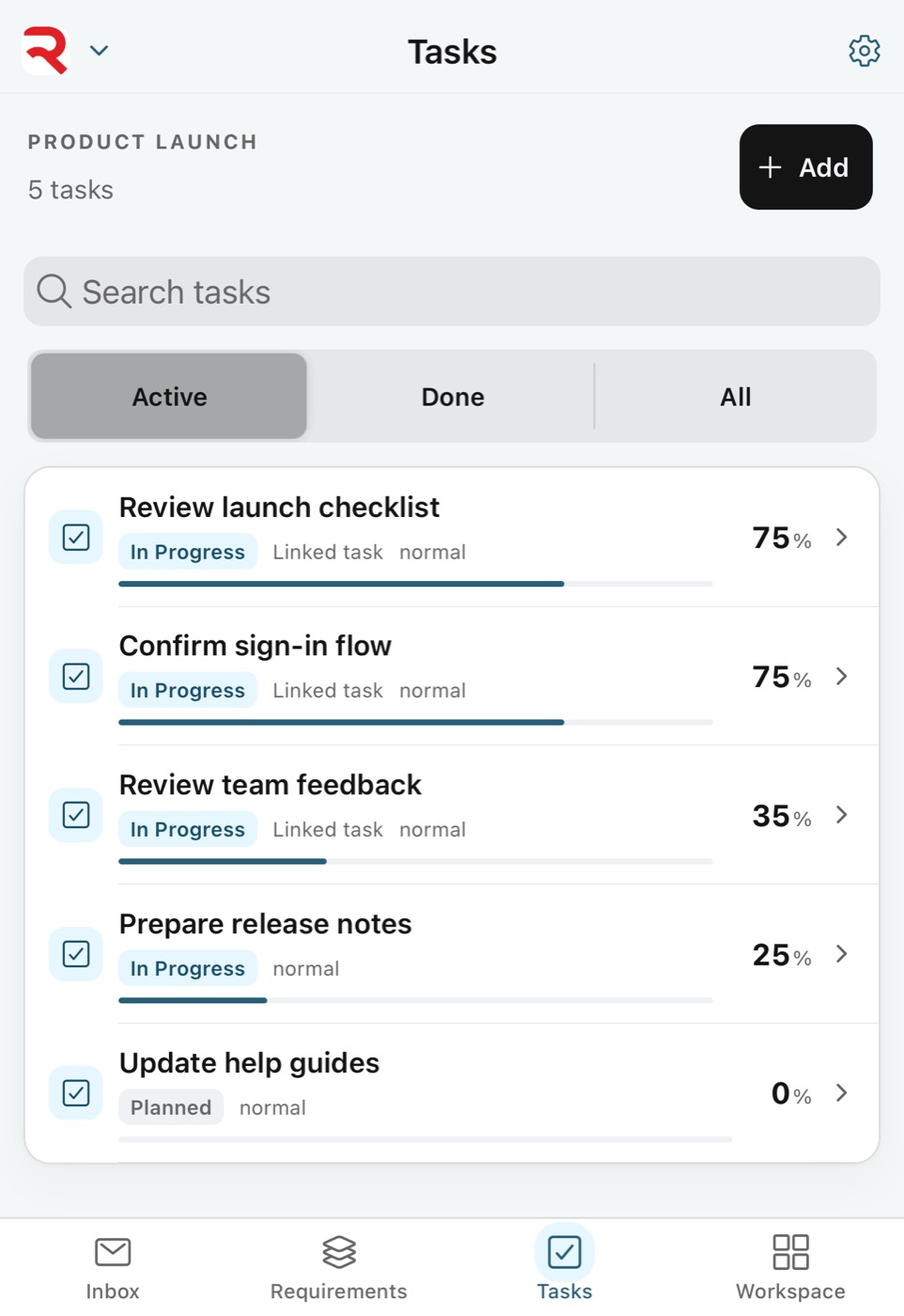
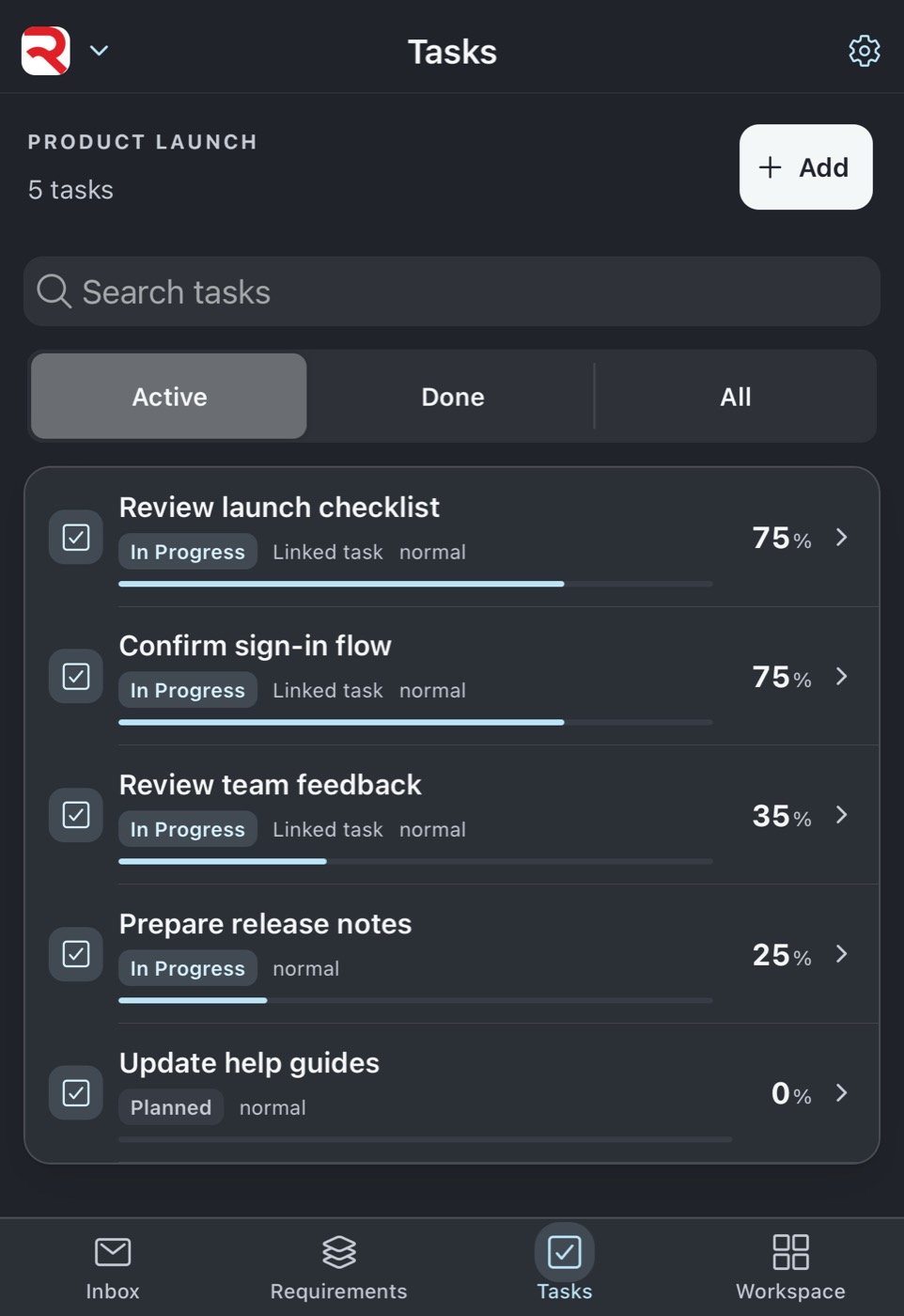
Tasks

Move the work without opening a laptop.

Search, status, progress, and focused task details are designed for quick review and update on a phone.

Keep product priorities visible.
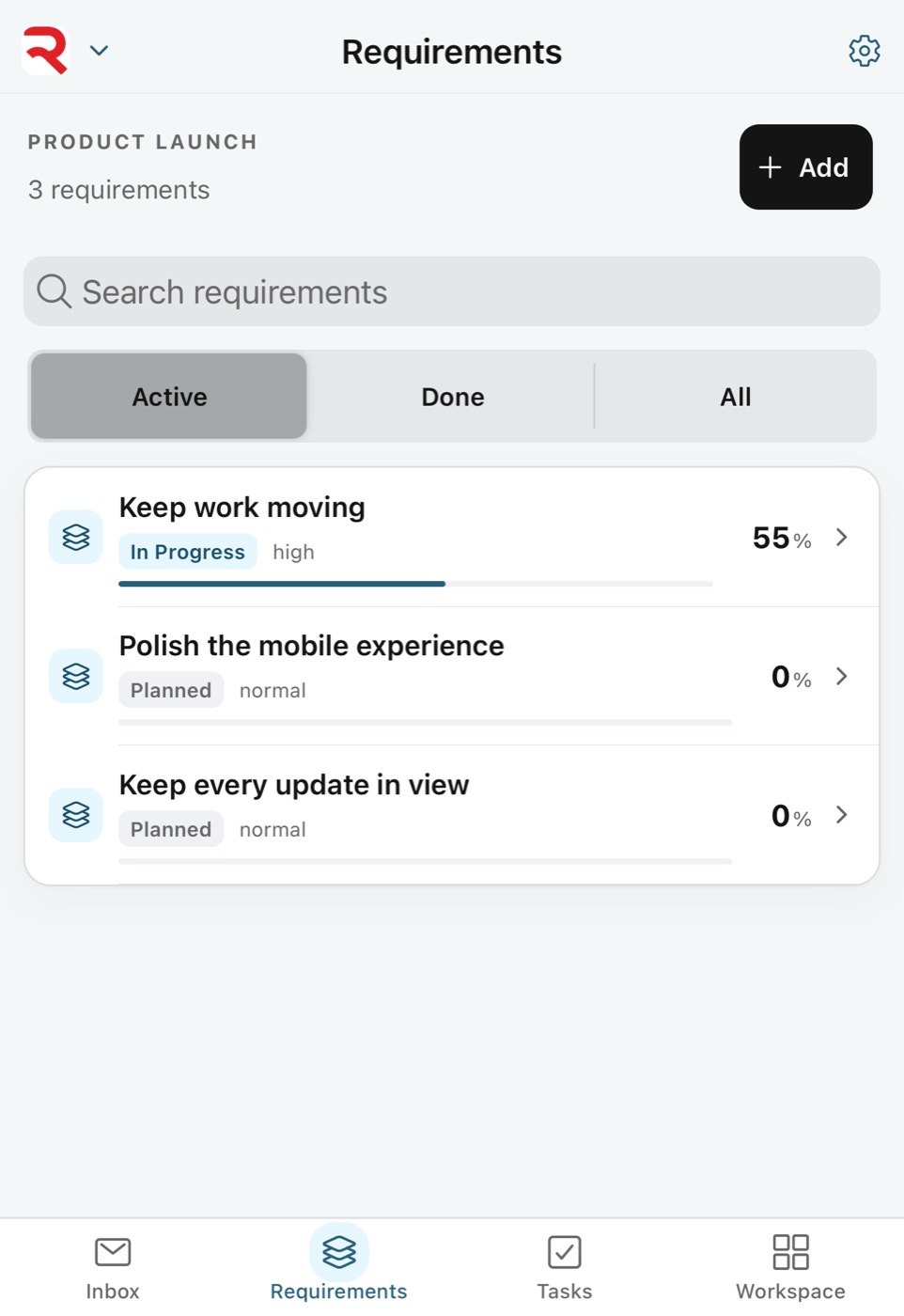
Requirements

Keep product priorities visible.

Requirements remain available beside execution so a quick update still has the larger product decision behind it.

Make informed changes from the field.
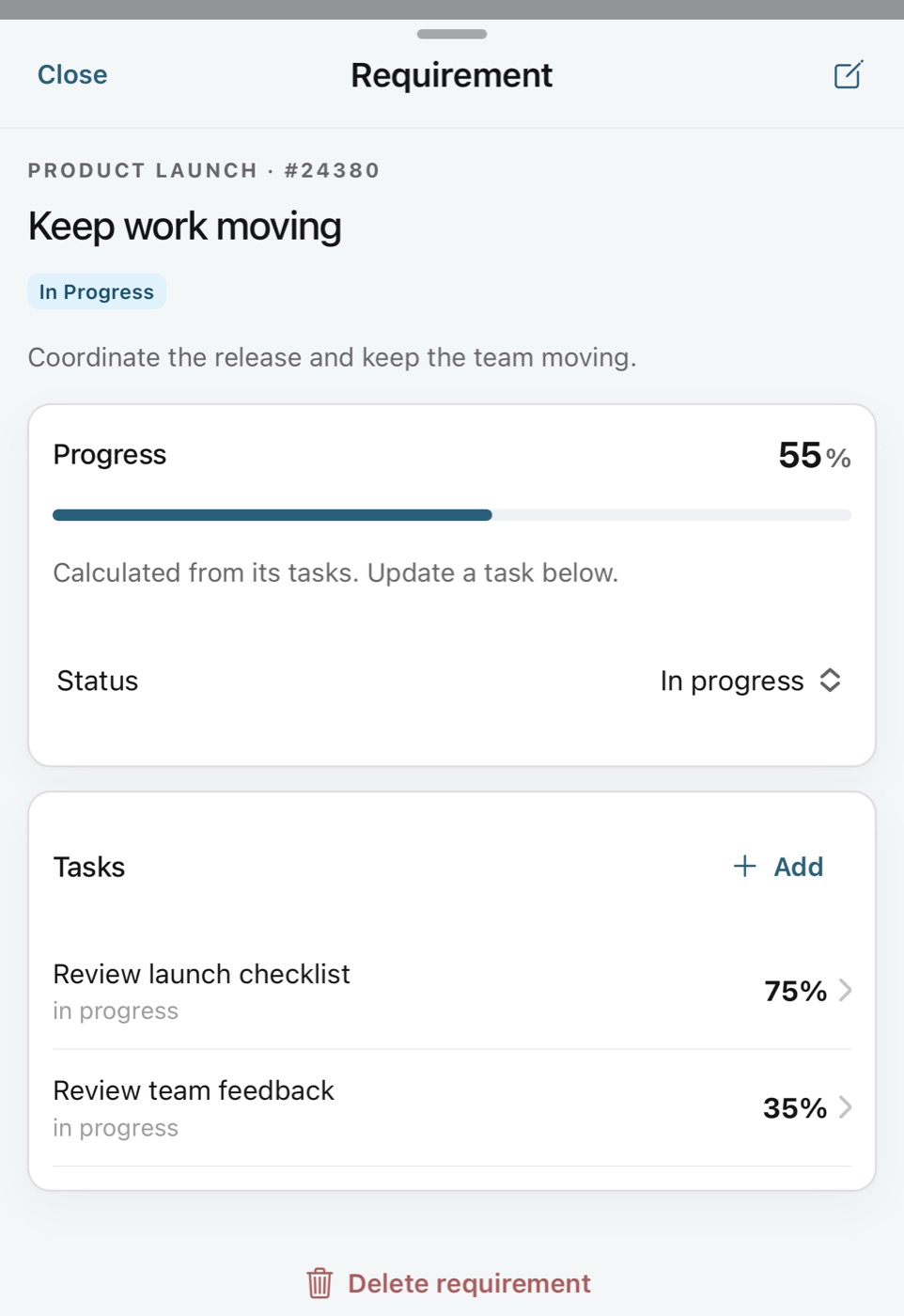
Work detail

Make informed changes from the field.

Focused detail views bring the current status, progress, assignment, dates, and supporting context into a touch-friendly workflow.

Bring the supporting record with you.
Workspace

Bring the supporting record with you.

Files, documents, Loom recordings, Task Orders, and permitted member actions remain available from a clear tablet workspace.

Designed for the device and the person.
Appearance

Designed for the device and the person.

Light and dark modes use the same compact navigation, readable hierarchy, and stable controls across supported screen sizes.

1 / 5
FAQ

Common questions.

Is RedRover Mobile available now?

The signed Android release is available now through RedRover's mobile page. The signed iPhone and iPad build has been submitted to Apple and is currently waiting for review.

Is this the full desktop interface on a phone?

No. RedRover Mobile intentionally focuses on Inbox, Requirements, Tasks, workspace material, and quick updates. The smaller surface makes frequent mobile work faster and clearer.

Does the app use separate mobile data?

No. It connects to the same production RedRover services, records, permissions, revision checks, and progress rules as the web and desktop experiences.

How does the app protect sign-in information?

Installed apps store the signed-in session through iOS Keychain or Android Keystore. Authorization remains enforced by RedRover's server on every protected request.

What can people do from the app?

Permitted users can review Inbox items, requirements, tasks, nested work, progress and status, workspace documents and Loom recordings, Task Orders, and selected membership details.

What does this case study say about Hatchery?

It shows Hatchery can design, engineer, secure, package, test, and release a native mobile companion for a complex Java SaaS product while keeping one authoritative backend and permission model.

RedRover Mobile

Take the shared work with you.

Get the Android release now or explore RedRover while the iPhone and iPad release completes Apple review.