Case Study / Hatchery Connect

Turning a recurring link-and-QR problem into a focused SaaS product.

Hatchery built Connect after repeated campaign work showed the same problem: short links, branded QR codes, editable destinations, profiles, analytics, and API access needed to live in one managed system.

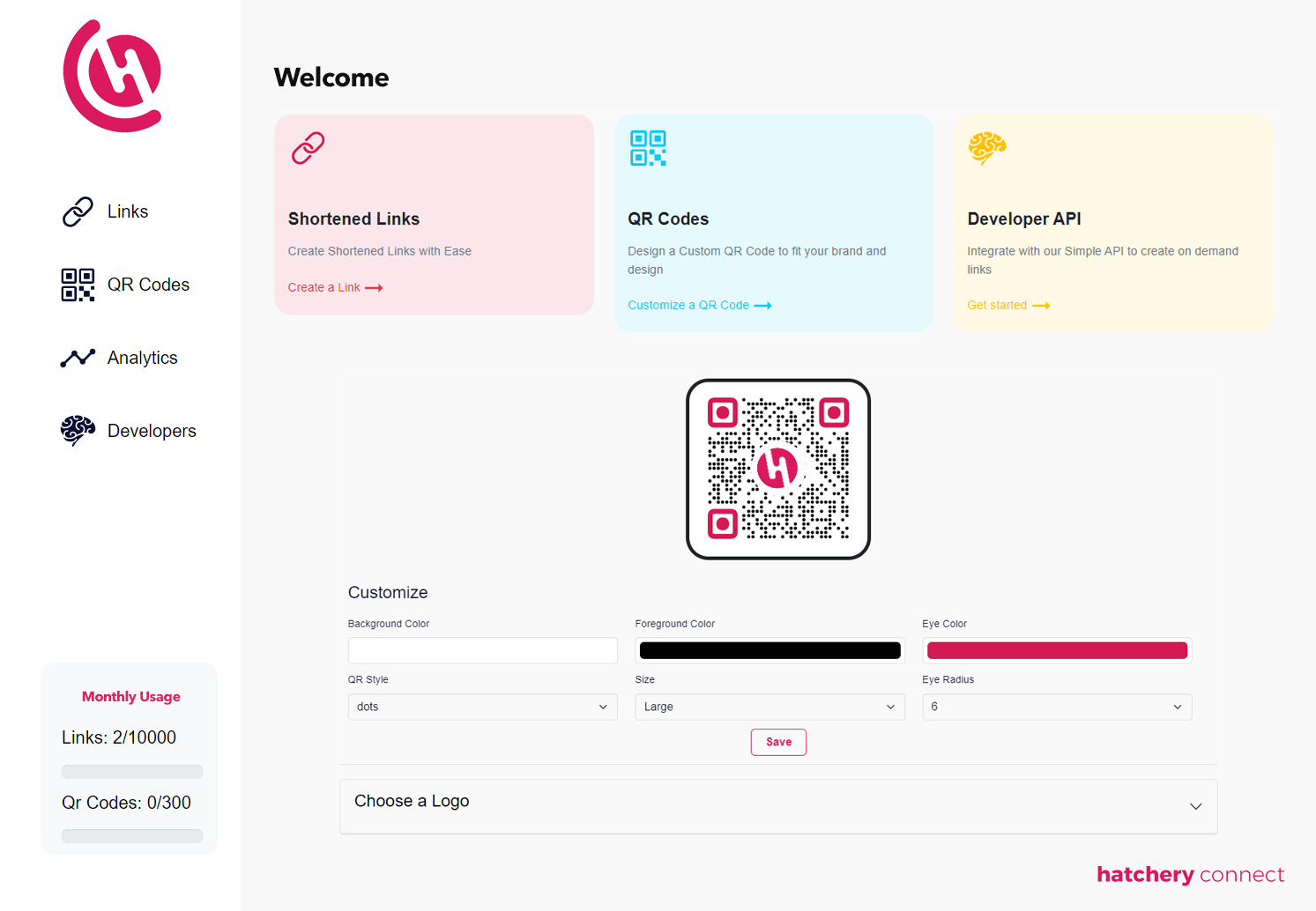
Hatchery Connect application screen showing managed links, QR codes, and profile workflows.
1 Managed link layer Short links, QR codes, destinations, profiles, analytics, and API access.
AWS Serverless foundation Designed for scale and controlled operating cost.
API Integration path REST access for outside applications.
Profiles Drag-and-drop digital pages Custom URLs and QR codes generated automatically.
At a glance

Hatchery Connect

AWS-backed SaaS platform for branded QR codes and dynamic links.
Editable destinations so printed codes can keep working as campaigns change.
Analytics dashboards, REST API access, and digital profiles.
Internal product strategy, SaaS development, QR technology, analytics, and API integration.
Problem

The same link problem kept appearing in real work.

The need surfaced through SMS and campaign work where shortened links and QR codes were often managed through separate tools. That split the workflow and left important parts of the customer-facing experience outside Hatchery's control.

Risk

A printed code may outlive the campaign behind it.

A basic QR code is easy to generate. The harder problem starts after the code appears on a business card, menu, package, sign, or event display. If the destination changes, the physical material should not need to be replaced.

Hatchery role

Hatchery built the product around the complete workflow.

Connect combines the code, managed link, editable destination, digital profile, analytics, and integration path into one account. The product was designed so everyday users can create and manage links while developers can connect the same capability into outside systems.


Comparison

Before Connect vs. with Connect

Category Before With Hatchery Connect
Short links Reliance on a separate third-party shortener. Hatchery-managed dynamic links.
QR branding Generic codes or another design tool. Colors, logos, and shapes managed in Connect.
Destination changes Fixed URLs or reprints. Destinations can change without replacing the code.
Digital profiles A separate page or website build. Drag-and-drop profiles with automatic URLs and QR codes.
Analytics Fragmented or dependent on another platform. Dashboards showing link activity and where codes are used.
Integrations Manual or tool-specific workflows. Secure REST API for outside applications.
Infrastructure Dependent on the limits of separate utilities. AWS serverless architecture designed for scale.
What Hatchery built

Built as one product system.

Strategy, design, code, integrations, infrastructure, and operations move together so the product can launch and keep serving customers.

Managed links and branded QR codes

Users can create short links, generate QR codes, apply brand colors and logos, and update destinations without replacing printed materials.

Profiles and analytics

Connect includes drag-and-drop digital profiles plus dashboards for activity, usage context, and campaign performance.

API access

A secure REST interface lets outside applications use Connect as a link and QR capability instead of a separate manual tool.

Decisions

Product choices that made the work hold together.

01

Keep the workflow together

Short links, QR codes, profiles, analytics, and integrations are connected inside one product instead of split across several subscriptions.

02

Own the link layer

Connect keeps customer-facing link infrastructure under Hatchery control instead of depending on another utility for a core product path.

03

Separate the printed code from the destination

A managed link sits between the physical code and the destination, so the destination can change after the code is printed.

Connect today

A user can create a managed link, generate a branded QR code, place it on physical or digital material, and change the destination later. Users can also create digital profiles with imagery, social links, buttons, and brand colors. Connect automatically creates the profile URL and QR code.

What this demonstrates

Connect shows how Hatchery turns a repeated operating need into a product. The work included product strategy, UI/UX, AWS serverless architecture, subscriptions, analytics, APIs, and live operation.

Connect pricing

Use Connect directly, or add it to a Hatchery project.

Standalone SaaS for managed links, branded QR codes, profiles, analytics, and API-connected campaigns.

Most popular

Personal

$10 per month

For personal links, small campaigns, and early QR workflows.

  • 500 links per month
  • 10 custom QR codes per month
  • Analytics
  • Documentation
Get started
Teams

Business

$100 per month

For teams that need volume, API access, support, and reporting.

  • 10,000 links per month
  • 300 custom QR codes per month
  • Developer API
  • Priority support
  • Analytics
Get started
Hatchery project

Project introduction

Project introduced through delivery

For Hatchery builds where links, QR codes, analytics, or APIs belong inside the product.

  • Scoped during planning
  • Integrated with product workflows
  • Connected to data and operations
Discuss a project
Product tour

Connect turns QR codes and short links into owned product infrastructure.

The screenshots are not decoration. They show the pieces a customer needs when a simple QR code becomes part of a campaign, sales process, event, physical product, or customer-facing profile.

Create and manage links from one workspace Generate branded QR codes for print and digital use Change destinations without replacing materials Operate profiles, campaigns, reporting, and API-connected workflows
One place to manage the link layer.
Workspace

One place to manage the link layer.

Connect keeps short links, QR codes, profiles, destinations, and reporting inside a focused product workspace instead of scattering the workflow across separate tools.

Why it matters

The value is control: the customer can manage the link, the code, and the destination from one owned system.

Printed codes stay useful after launch.
QR engine

Printed codes stay useful after launch.

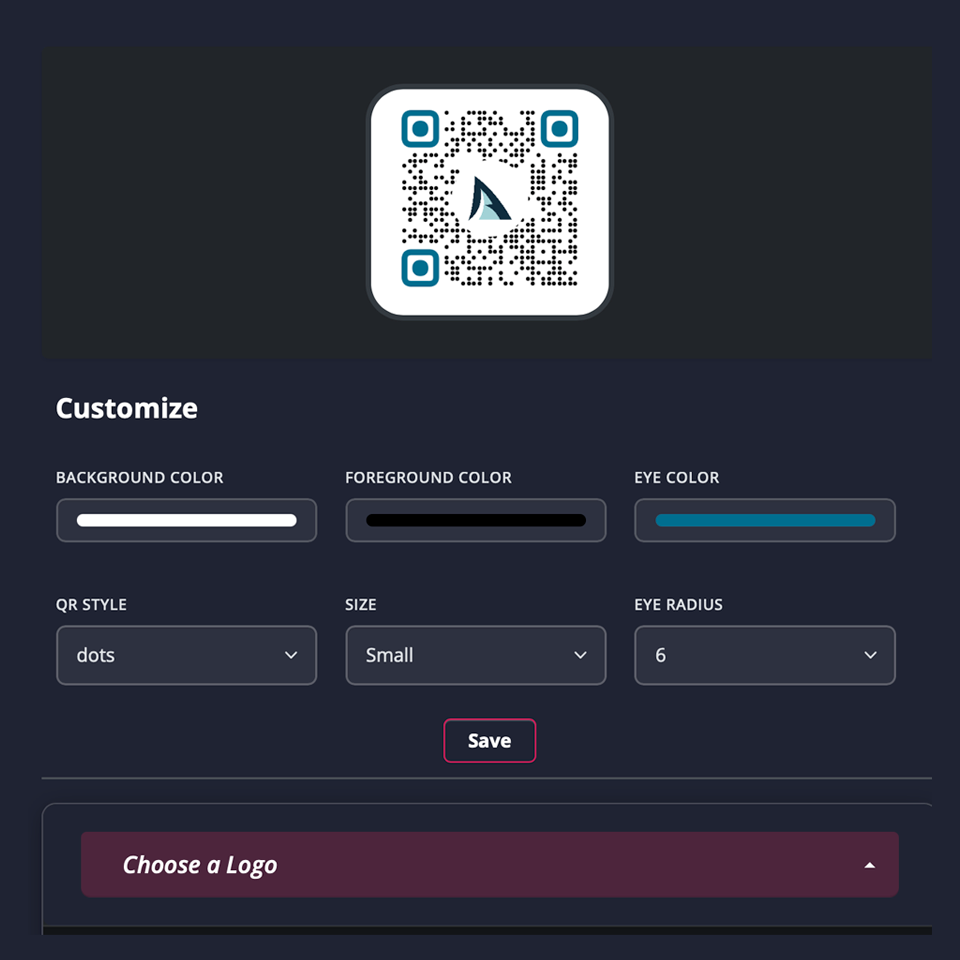
Branded QR codes can live on physical or digital material while the managed destination remains editable behind the scenes.

Why it matters

The value is flexibility: printed material can stay in use even when a campaign or destination changes.

Built for daily campaign control.
Desktop

Built for daily campaign control.

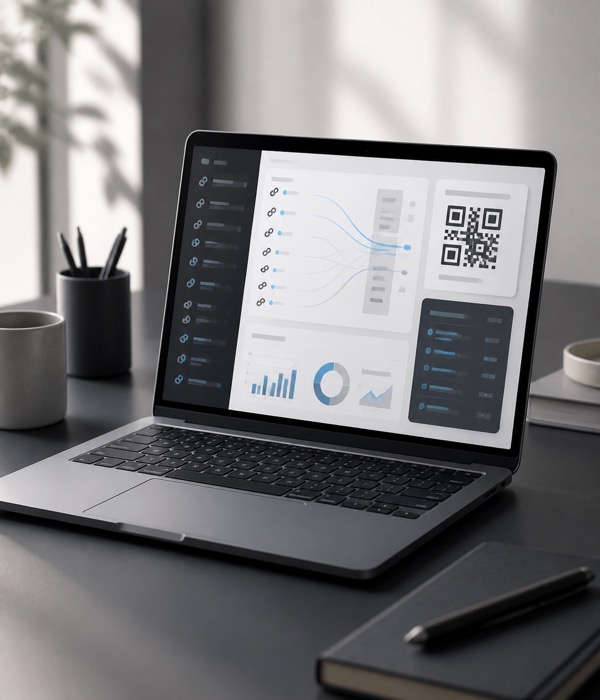
The desktop experience gives teams room to review, edit, and operate link campaigns without making the product feel heavy.

Why it matters

The value is usability: everyday campaign management stays clear enough for non-technical teams.

Designed around real customer touchpoints.
Field use

Designed around real customer touchpoints.

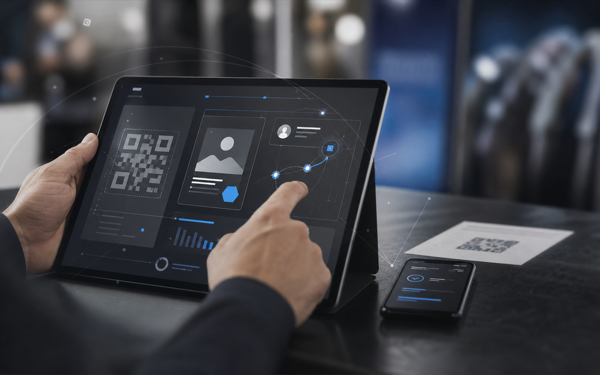
Connect is meant for the places links and QR codes actually show up: phones, tablets, printed pieces, live events, sales material, and customer-facing profiles.

Why it matters

The value is reach: the same managed link layer supports the physical, mobile, and customer-facing parts of the product.

FAQ

Common questions.

What is Hatchery Connect?

Hatchery Connect is an AWS-backed SaaS product for branded QR codes, managed short links, editable destinations, analytics, digital profiles, and REST API access.

Can a QR code point somewhere new after it is printed?

Yes. Connect separates the printed QR code from its destination through a managed link, so the destination can be updated without generating and printing a replacement code.

Can Connect integrate with another application?

Yes. Connect provides secure REST API access so link and QR functionality can be integrated into other applications.

Can Connect handle high-volume traffic?

Yes. Connect is built as a reliable, secure system designed to scale from everyday campaigns to millions of requests.

Can Connect be fully branded and customized?

Yes. Organizations can use branded short URLs, logo-based QR codes, custom project logic, and APIs to manage links, destinations, profiles, and campaign behavior inside their own workflow.

Build with Hatchery

Take the product idea, complex workflow, or AI opportunity and make it real.

Clarify what to build, what to simplify, what to protect, and what must work first.

Idea UX Code AI + data Launch Operate Evolve

Start with Hatchery when

Clarify the path

Talk through the build